Fear of getting the size wrong
For wide feet, width matters as much as size. Without guidance, a shopper either puts off the purchase or writes in a messenger and waits for a reply.
Websites, online stores, apps, integrations and support
Google Ads, Instagram and Facebook, Microsoft Ads, TikTok, ChatGPT and marketplaces
Google Search, Google Maps and answers in ChatGPT, Gemini and Google AI
Instagram and TikTok management, Reels and design
GA4, Google Tag Manager, Conversions API and reports
Chatbots, AI agents, workflow automation and CRM
Email campaigns and automated email sequences
Marketing strategy and a free website audit
We built an online store for a women's footwear brand made for wide feet. Shoes cannot be tried on online, so the site had to help shoppers choose the model, width and size before ordering.
I want a store like this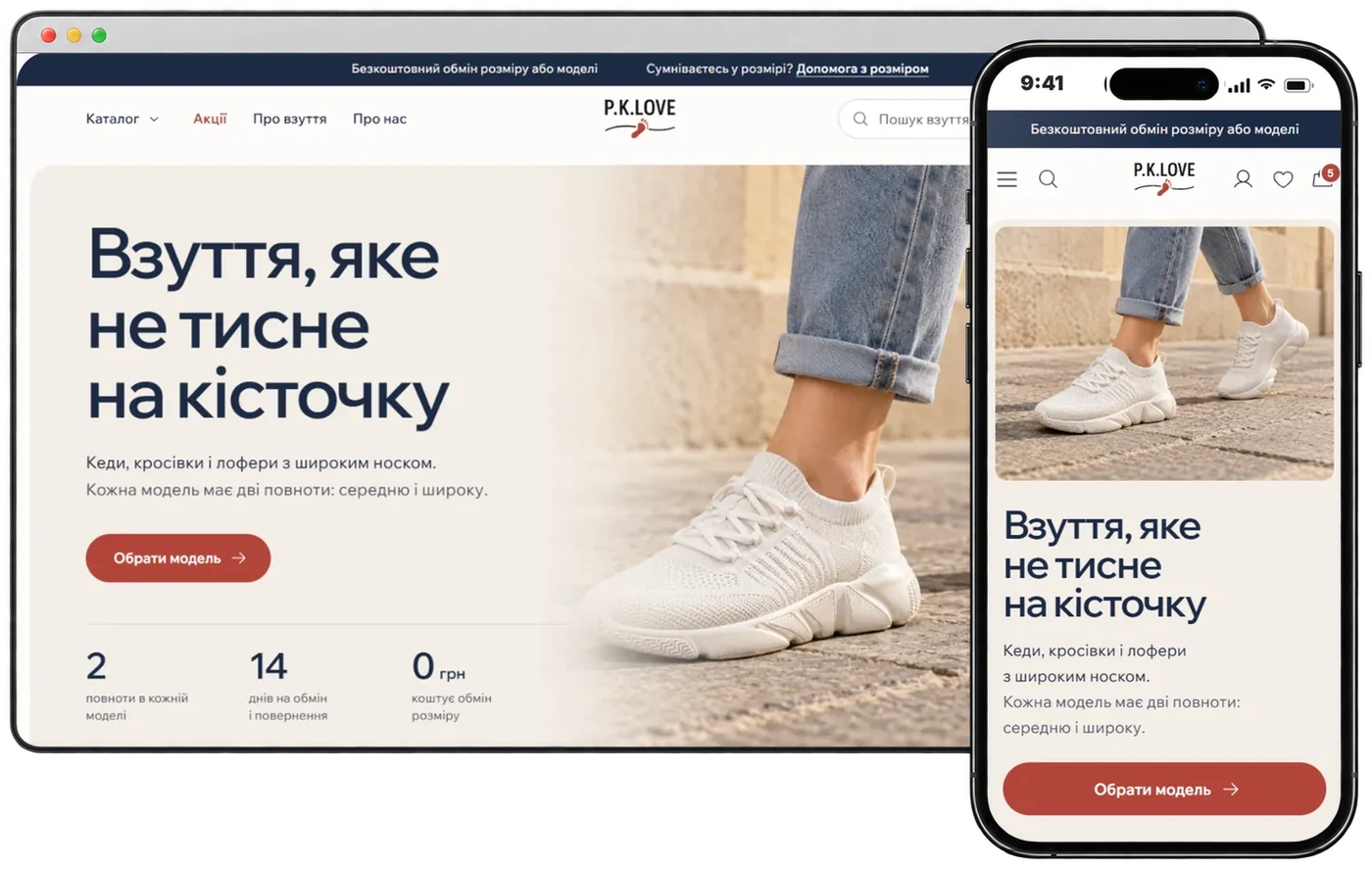
P.K.Love makes canvas sneakers, sneakers, loafers and boots for women with wide feet and bunions. The brand has a premium PKL line made of genuine leather and suede and a basic P.K.Love line.

For wide feet, width matters as much as size. Without guidance, a shopper either puts off the purchase or writes in a messenger and waits for a reply.
How to measure a foot, which width to choose, whether an exchange is possible. These questions came in through Instagram Direct and messengers every day, and a manager answered each one by hand.
The difference between PKL and P.K.Love had to be shown so that shoppers do not get lost in the catalog and understand what they pay more for.
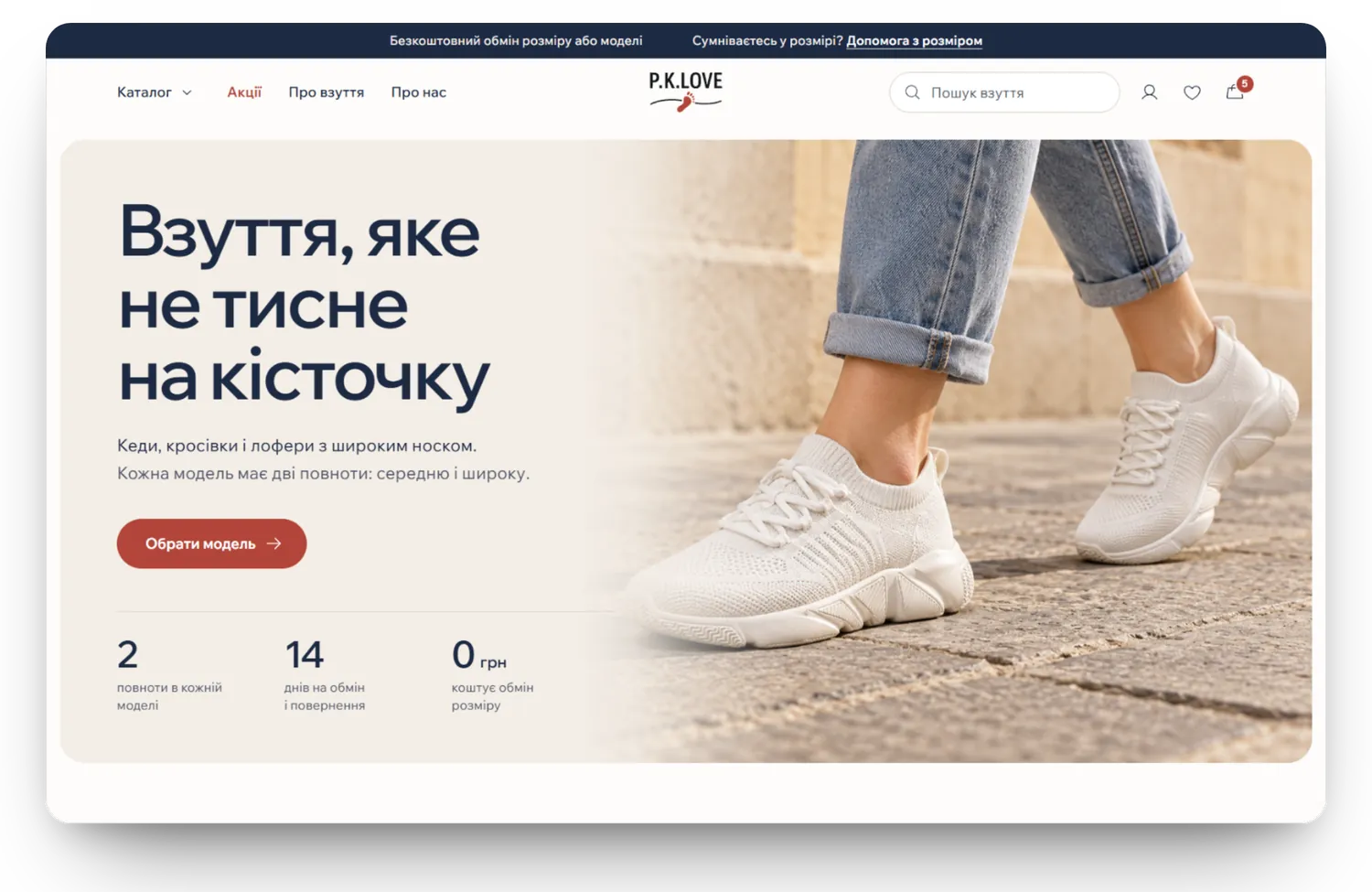
Someone with wide feet looks first for shoes that do not pinch. So the first screen opens with the promise “Shoes that don't press on the bunion”, with the width and size exchange terms under it. The shopper sees right away that the store is made for feet like theirs.
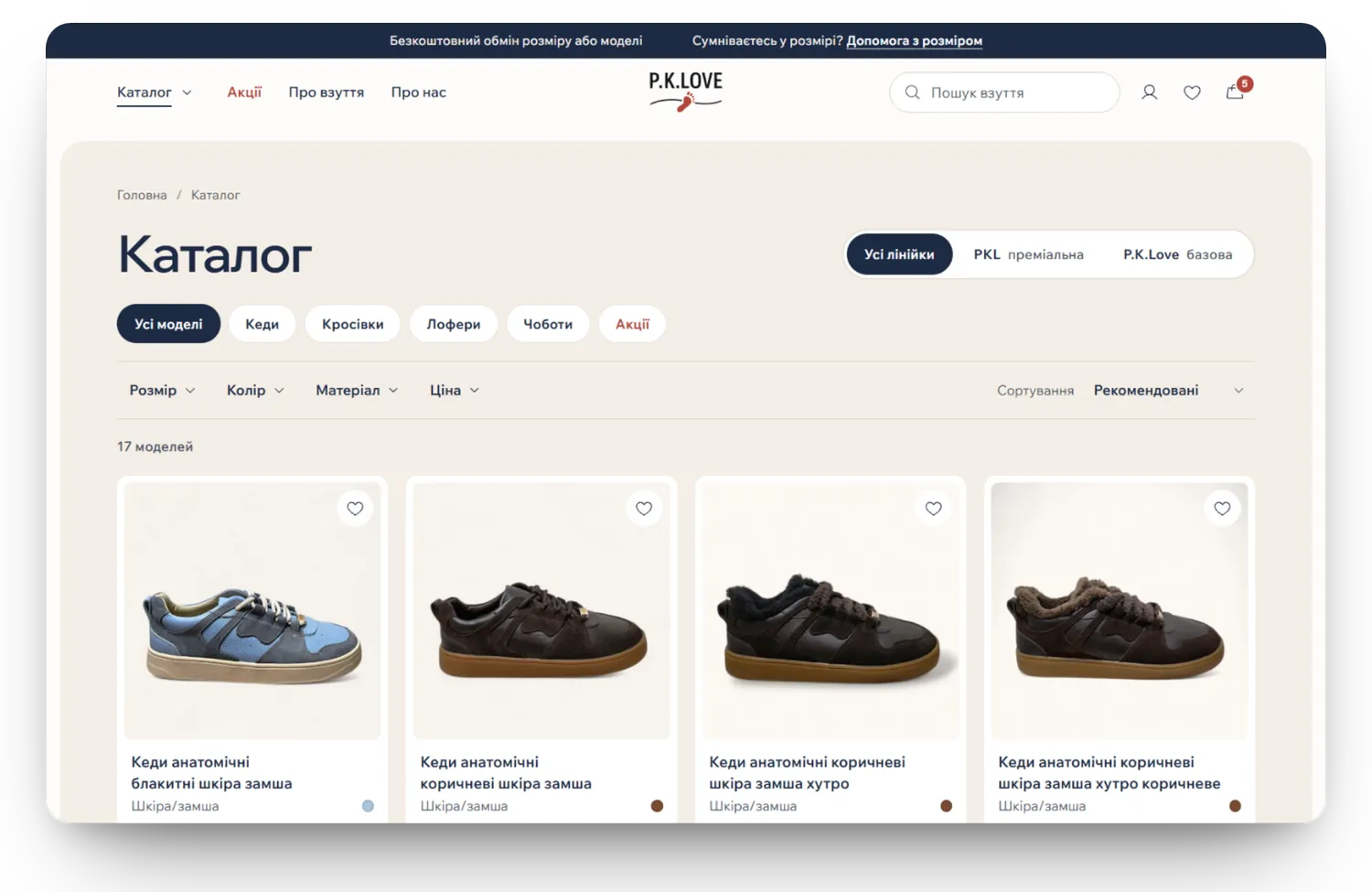
The lines differ in material and price, and shoppers need to see which one they are choosing from. So the catalog starts with choosing the line, then the shoe type, then filters by size, color, material and price. Material and color are shown right on the catalog card, so there is no need to open every model.
A wrong size means an exchange and another wait for a package. So every size on the product page is labeled with the insole length in centimeters, with instructions next to it on how to trace the foot on paper and measure it. If doubts remain, the shopper leaves their number, usual size and preferred contact method (a call or a messenger), and a manager helps them choose.
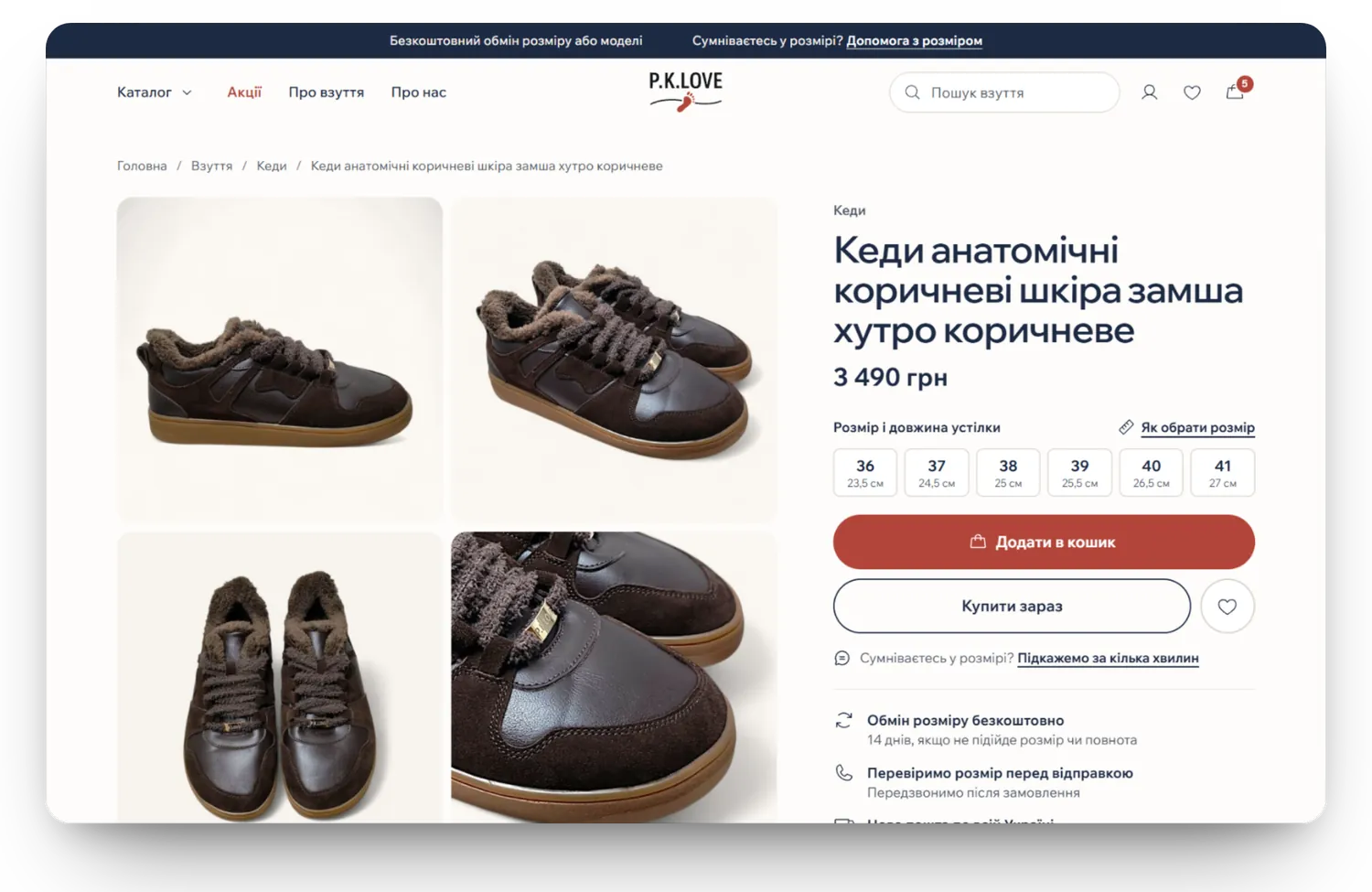
Free size exchange and a size check before shipping sit under the “Add to cart” button. The shopper sees them exactly when deciding whether to order.
A separate block compares regular shoes with P.K.Love and shows that the wide toe box leaves room for the bunion and the little toe.
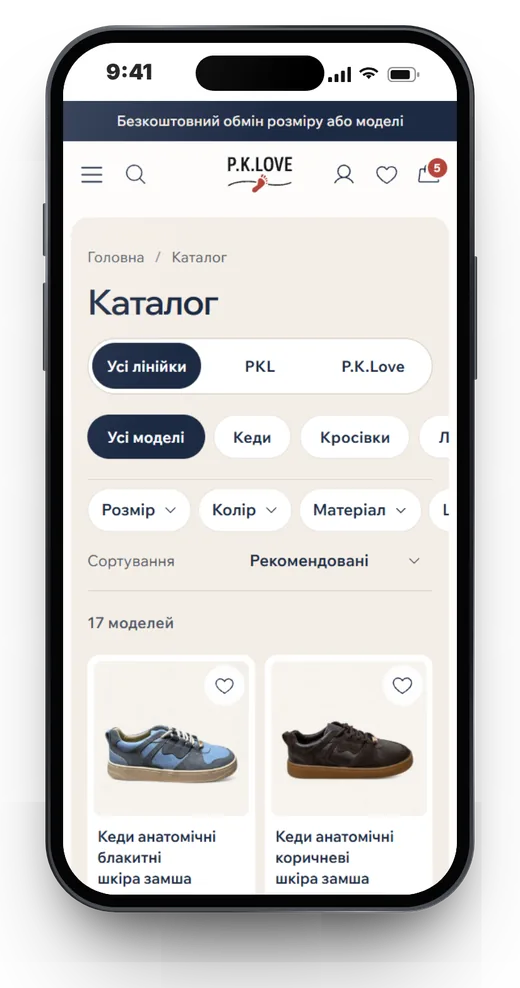
Shoes are often chosen on a phone, so the catalog, filters and product page were designed for the mobile screen first.
A store where shoppers choose the model, width and size on their own, and tricky questions reach the manager as a ready request.
Shoppers find their size at home by the insole length in centimeters.
The catalog starts with choosing PKL or P.K.Love, so the difference in material and price is visible before the product page.
Size selection and exchange terms are on the site, and tricky cases reach the manager as a request with the size and the chosen contact method.
Shoppers order already knowing that the size can be exchanged for free.
Filters, width selection and the size form work on a phone the same way as on a desktop.
Lifetime guarantee on fixing bugs in our work, written instructions and training materials for the team.
If your question is not answered here, message us and we reply in writing.
Ask a questionBravo Digital builds online stores for footwear and clothing brands on WordPress and WooCommerce. Our case studies include P.K.Love, an online store for anatomical women's footwear.
At Bravo Digital, a store with a catalog of up to 100 products costs $500 (Starter plan). A store with up to 1,000 products, installment payments, CRM integration and product feeds for ads costs $700 (Business plan). We confirm the exact amount after a short brief.
Yes. We build size charts, hints on the product page and a form that sends the request straight to a manager.
Launch takes 14 days on the Starter plan and 21-28 days on the Business plan. The timeline depends on the number of products and how ready the photos and descriptions are.
Yes. Product import with photos, descriptions and specifications comes as a gift with every Bravo Digital plan.
Get a quote
Thank you!