Searching for a bus on many sites
To find a bus from their city on the right date, a passenger opens several carrier sites and compares schedules. It takes a long time, and the sites don't make it clear which carrier can be trusted.
Websites, online stores, apps, integrations and support
Google Ads, Instagram and Facebook, Microsoft Ads, TikTok, ChatGPT and marketplaces
Google Search, Google Maps and answers in ChatGPT, Gemini and Google AI
Instagram and TikTok management, Reels and design
GA4, Google Tag Manager, Conversions API and reports
Chatbots, AI agents, workflow automation and CRM
Email campaigns and automated email sequences
Marketing strategy and a free website audit
We built a landing page for UATravelexpress, a company that books seats on daily bus routes to European cities, Turkey and Georgia. Passengers are used to comparing carriers themselves and paying in advance, while here a manager finds the trip and the money is paid only at boarding. The page had to explain this difference and get the passenger to a request quickly.
I want a project like this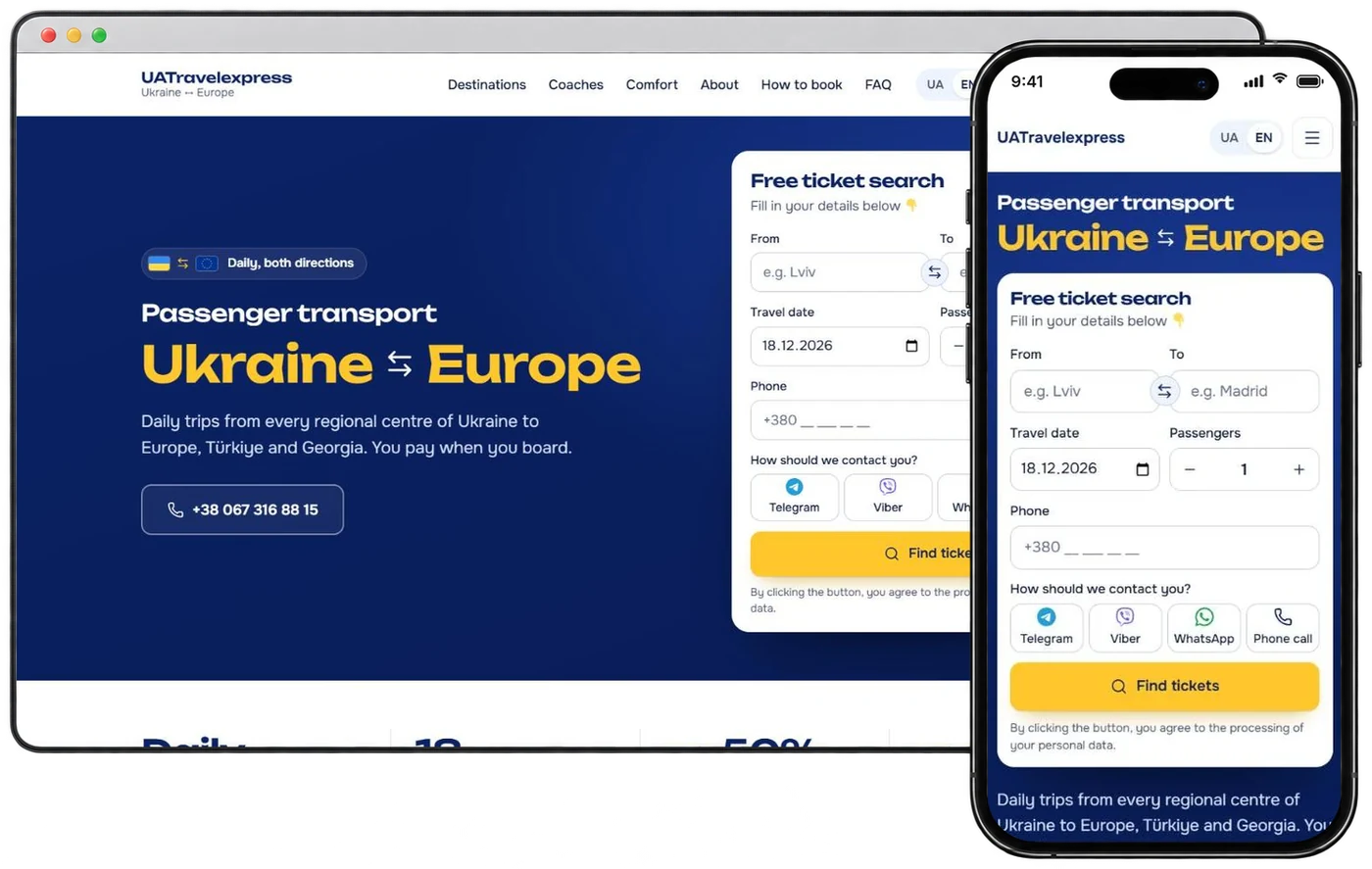
UATravelexpress books seats on daily bus routes from regional cities to European countries, Turkey and Georgia and back. The company runs its own buses and works with vetted carriers, and shuttles bring passengers to the main route by minibus. Passengers pay at boarding, with no prepayment.

To find a bus from their city on the right date, a passenger opens several carrier sites and compares schedules. It takes a long time, and the sites don't make it clear which carrier can be trusted.
Many carriers ask for payment in advance, and the passenger risks the money if the trip is moved or canceled. Because of this, they hesitate to book for a long time.
A family traveling with children, several suitcases and a pet wants to know in advance where boarding is, how many kilograms they can bring and what the bus has on board. Without answers, they put off booking.
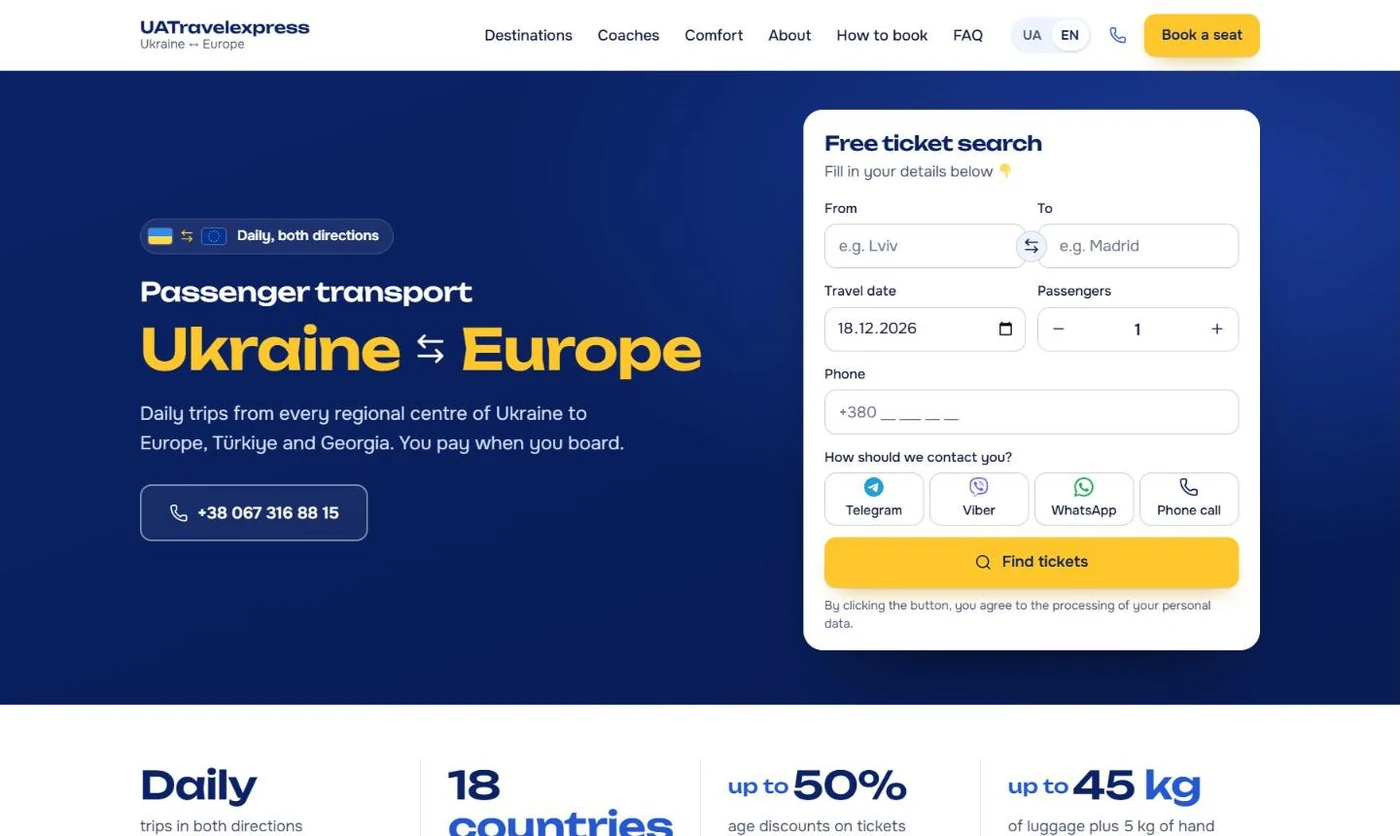
The passenger already knows where and when they are going, they only need a bus. So the first screen opens with a free ticket matching form. It is enough to enter the route, date, number of passengers and phone number, then choose how to get the reply (Telegram, WhatsApp or a phone call). The manager sees the route right away and replies where the passenger asked.
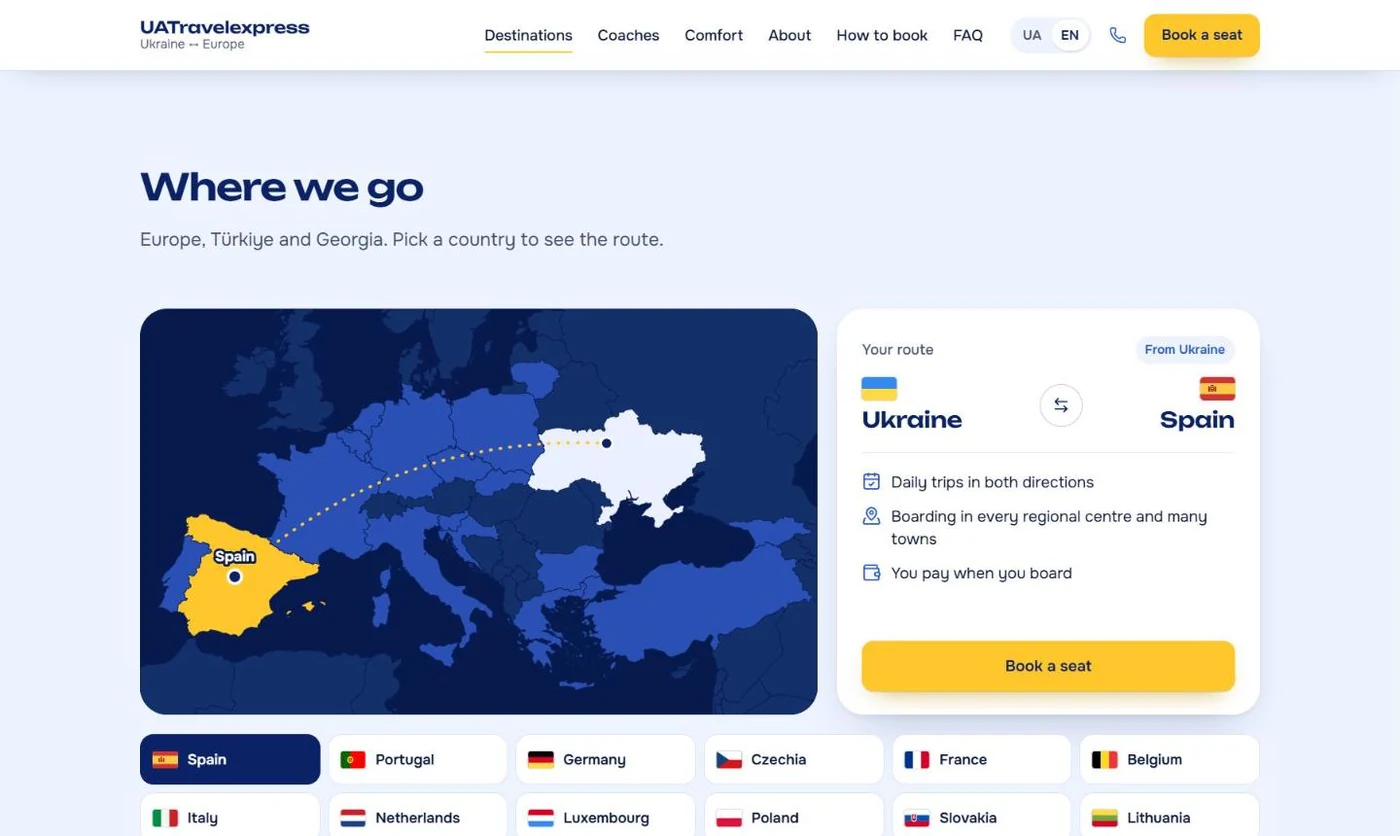
Before sending a request, a passenger wants to make sure there is a route to their country and know what bus they will ride. So the destinations block shows European countries, Turkey and Georgia and the regional boarding cities, followed by the buses, from double-deckers for long routes to shuttle minibuses. Onboard amenities, from Wi-Fi and power outlets to pets up to 8 kg, are listed on the page, so there is no need to ask the manager about them.
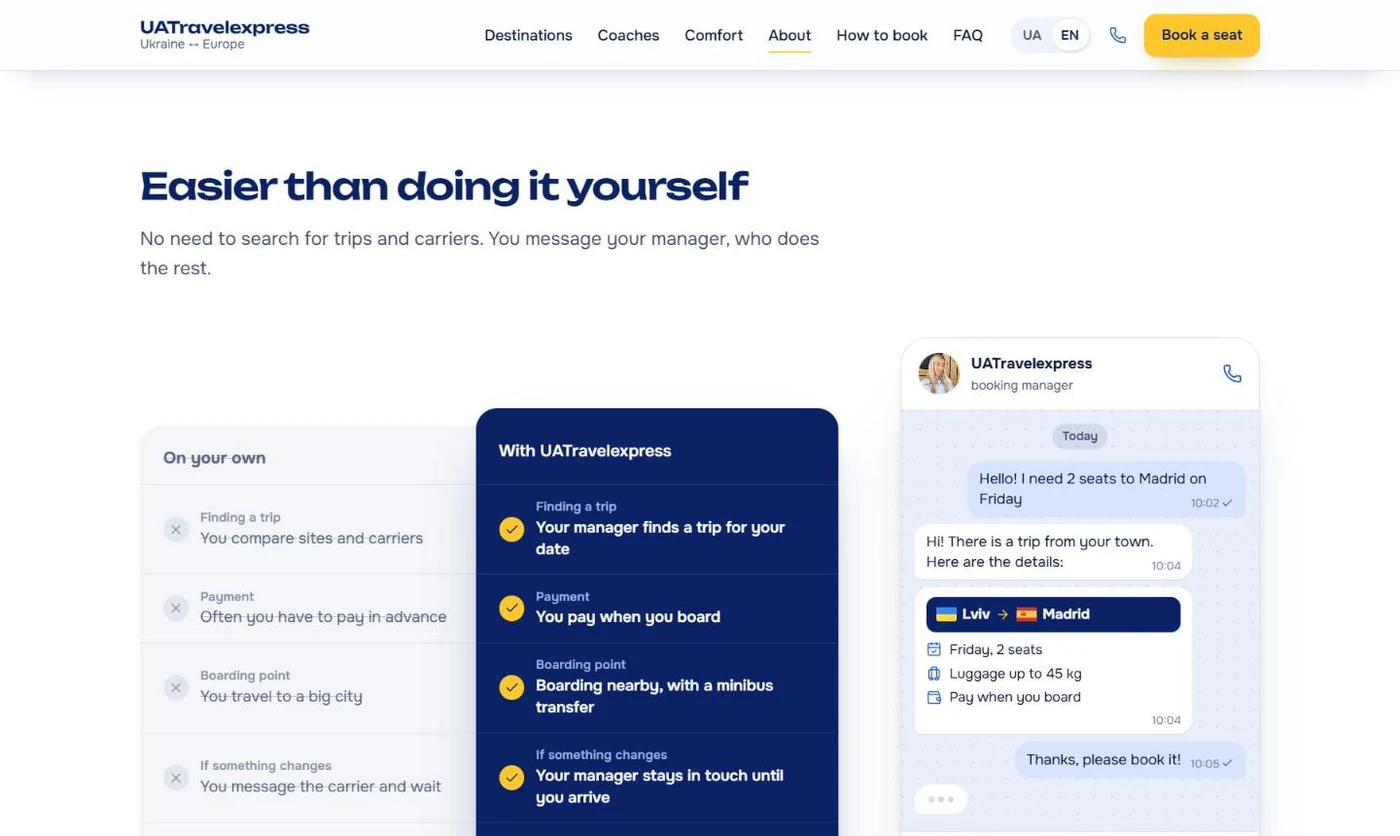
Passengers are used to searching for a bus themselves and paying in advance, so booking through a manager is new to them. A table compares searching on your own with a trip booked through UATravelexpress, from payment to the boarding point, and a sample chat shows a request for two seats to Madrid on Friday and a reply with a bus, luggage up to 45 kg and payment at boarding. How the conversation with the manager will go is clear before the request.
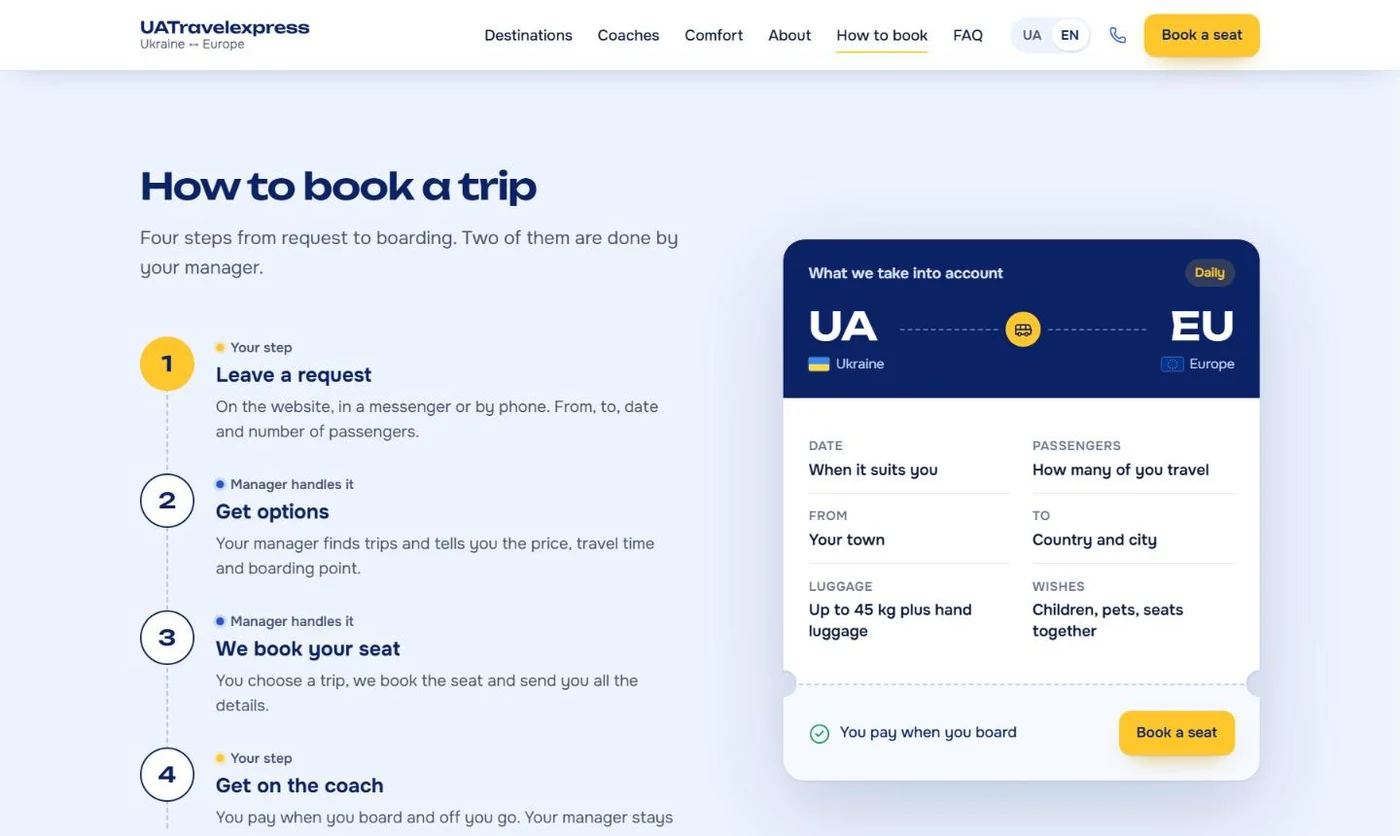
A new passenger wants to know what happens after the request and when to pay. So the steps from request to boarding show what the passenger does and what the manager does. Next to them are the name of a personal manager and messenger buttons. The passenger knows who will reply and sees that all they need to do is send a request and board the bus.
International travelers book through the English version with the same forms. The language switcher is in the header.
Age-based discounts of up to 50% are shown right below the first screen and next to a photo of a child seat, so a family with kids knows about them before sending a request.
The FAQ section covers the small things passengers usually call about, for example whether a printed ticket is needed (a confirmation on the phone is enough) and which documents are required to cross the border.
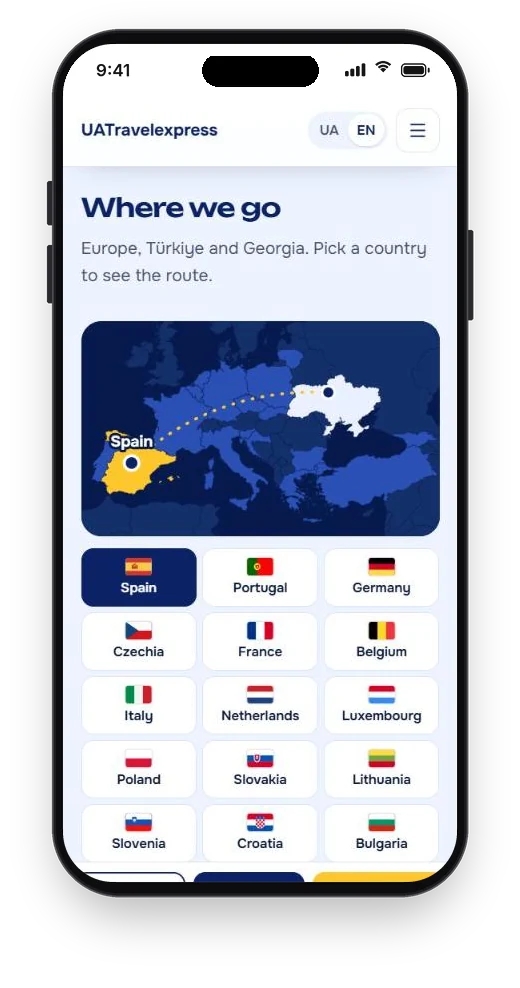
Passengers leave a route and date instead of searching across sites, and the manager only has to find a bus and write where the passenger is waiting for the reply.
The request already includes the route, date and number of passengers, so the manager sends trip options right away.
The passenger picks the contact channel, so the manager writes in the messenger they actually open.
Passengers book a seat without fear of losing money, because they pay only on the bus.
The company also takes bookings from travelers who don't read the local language.
The Meta Pixel is already on the site, so Facebook and Instagram ads can run from day one.
Lifetime guarantee on fixing bugs in our work, written instructions and training materials for the team.
If your question is not answered here, message us and we reply in writing.
Ask a questionThe UATravelexpress landing page was built by the Bravo Digital team. The page has a ticket matching form, destinations with buses and amenities, an English version and requests with a choice of Telegram or WhatsApp.
A landing page from Bravo Digital costs from $250, and we confirm the exact amount after a short brief.
Yes. We build language versions with the same blocks and forms and a language switcher in the header, and requests from both versions reach the manager.
Yes. We build a form with the route, date and number of passengers, and the manager receives a request with all the details needed to find a trip.
Yes. In the form, the passenger chooses Telegram, WhatsApp or a phone call, and the manager sees the choice in the request.
Get a quote
Thank you!