Women's clothing

ByWoman Online store development for a women's dress brand

We built an online store on a hosted ecommerce platform for ByWoman, which sells dresses for proms, weddings, parties and everyday wear. A dress for a big occasion is bought online without trying it on, so the site had to show the right styles fast and explain in advance what to do if the dress does not fit.

I want a store like this
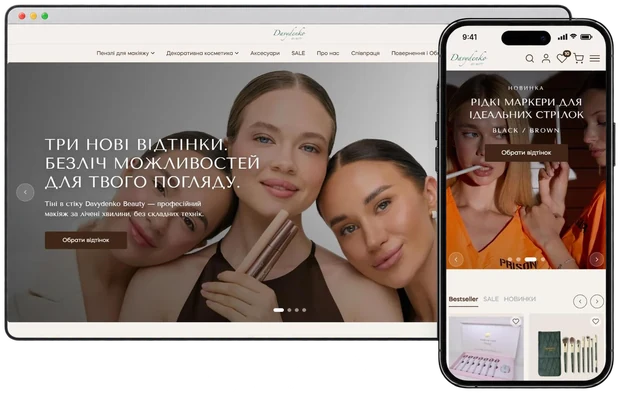
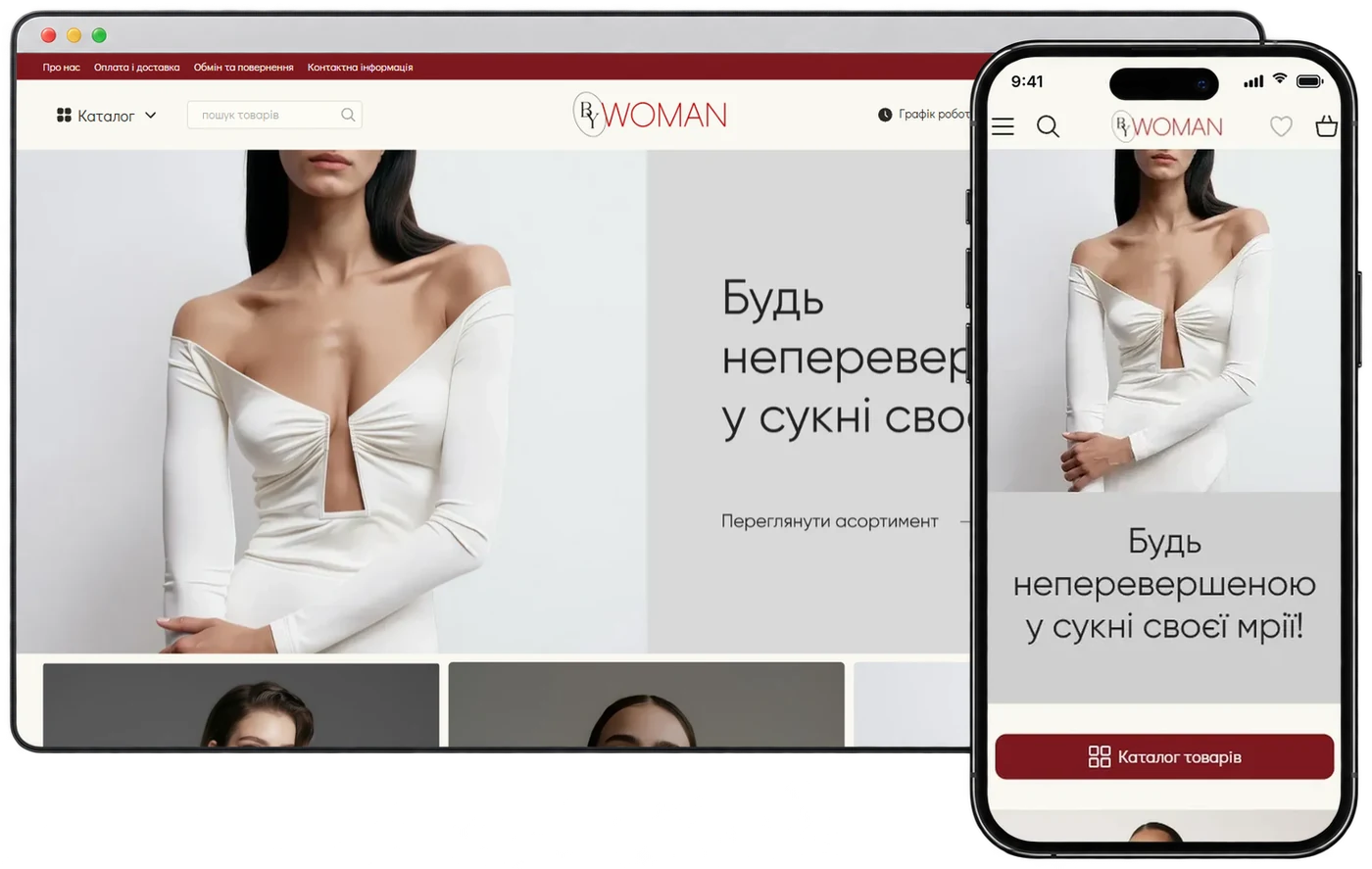
ByWoman online store on a desktop and a phone
Niche Women's dresses and clothing

About the project

ByWoman sells women's dresses for special occasions and everyday wear, as well as jumpsuits, suits and sweaters. A dress can be ordered with nationwide delivery or tried on in the brand's store.

ByWoman, home page on a phone

The task

A dress for an occasion

Shoppers often look for a dress for a specific event, such as a prom, a wedding or a party. When evening styles are mixed with everyday ones, a prom dress has to be found among casual dresses, and the shopper leaves before finding the right one.
Fear of getting it wrong

A dress bought online has not been tried on. If it is unclear how to return it, the shopper postpones the order or goes where they can try it on.

Questions for the seller

Before buying a dress for an important event, shoppers want to ask how a style fits and which size to choose. If the answer takes a while, they order from another store.

What we did

01

Catalog by occasion and length

Shoppers look for a dress either for an event, such as a prom, or by length, when they know they want a midi. So dresses are sorted both by occasion, from evening to casual, and by length, while jumpsuits and suits have their own sections. Either way, the shopper sees only the styles they need.

ByWoman catalog menu with dress sections by occasion and length
02

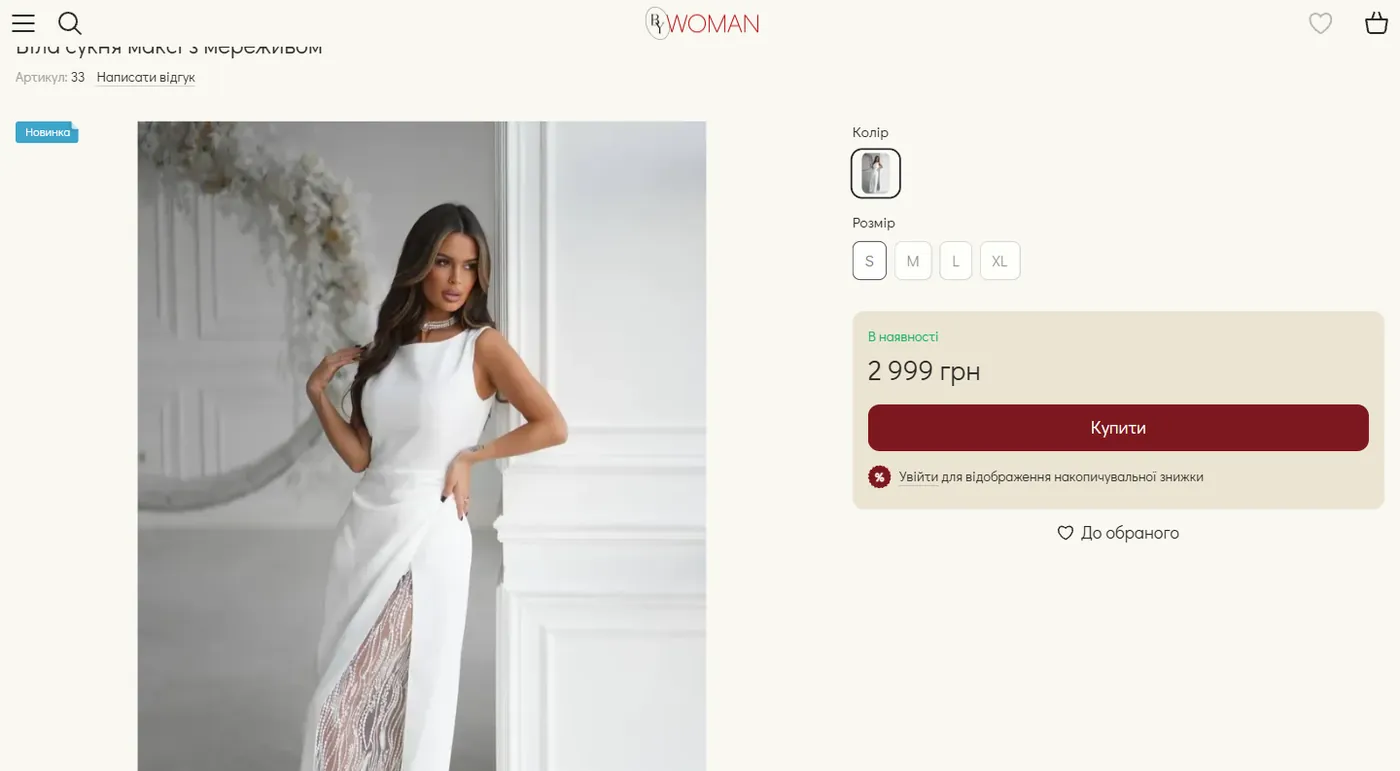
Dress product page

Once a dress catches the eye, the first question is whether it comes in the right size and color. So the price sits next to color and size options with stock status, rated reviews and delivery options. Nobody has to message on Instagram to ask about a size.

Dress product page in the ByWoman online store
03

Checkout without extra fields

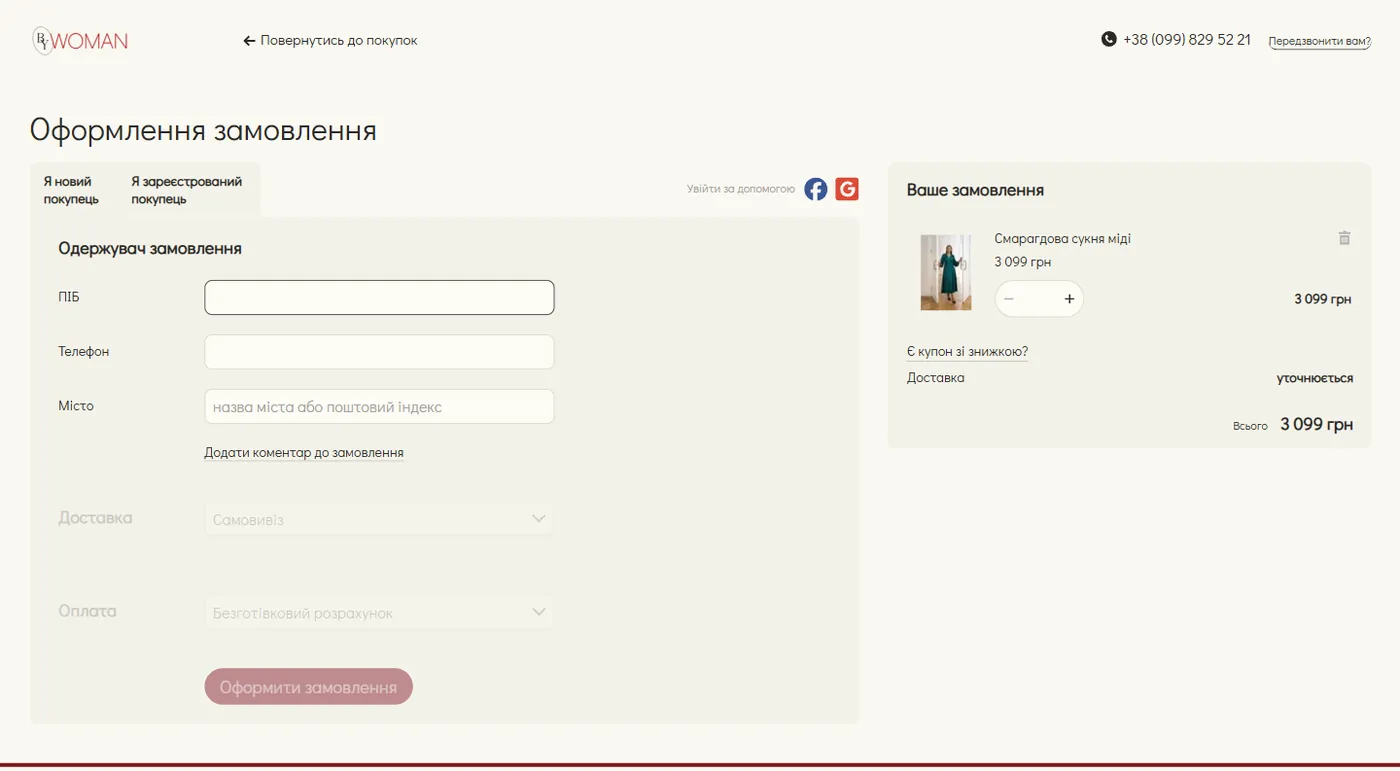
Dresses are often ordered from a phone, and every extra checkout field can stop a purchase. So the form asks only for a full name, phone number and city, then the delivery method and payment option. Returning customers sign in to their account, including with Google or Facebook, and enter a discount coupon right in the order summary.

Checkout in the ByWoman online store
04

Wishlist and loyalty discount

A dress for an event is chosen in advance, and shoppers come back to it several times. So favorite styles are saved to a wishlist, and the customer account has a cumulative loyalty discount that shows right on the product page after sign-in. A regular customer sees their own price and comes back to this store for the next dress.

Card payments

The store accepts Visa and Mastercard through online card payments. Money for a returned item goes back the same way within 10 business days after inspection.

Returns before purchase

A separate page explains how to return a dress within 14 days, what condition it must be in and where to send it, so a sizing mistake can be fixed.

Callback from checkout

The fit of a dress is easier to discuss by voice. A “Request a callback” button sits both in the header and on the checkout page, so the shopper does not leave to look for contacts.

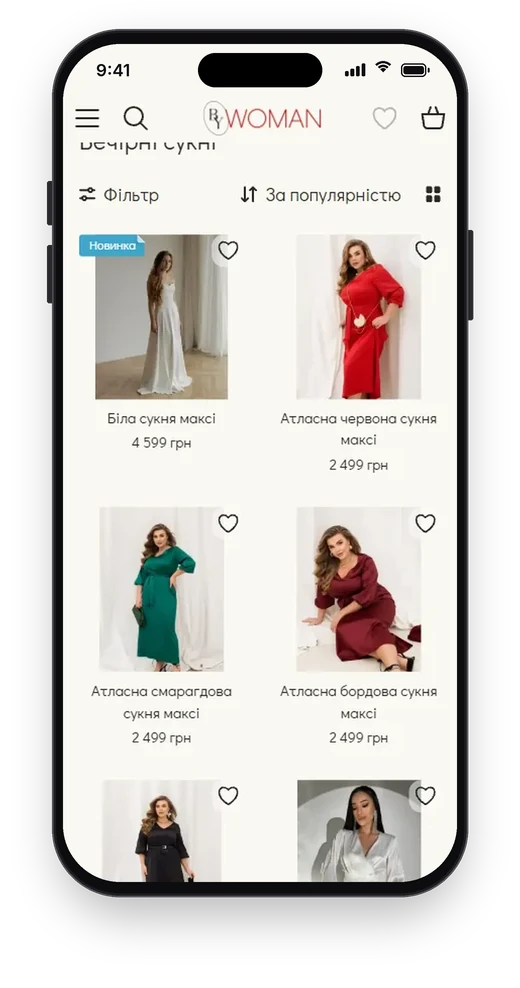
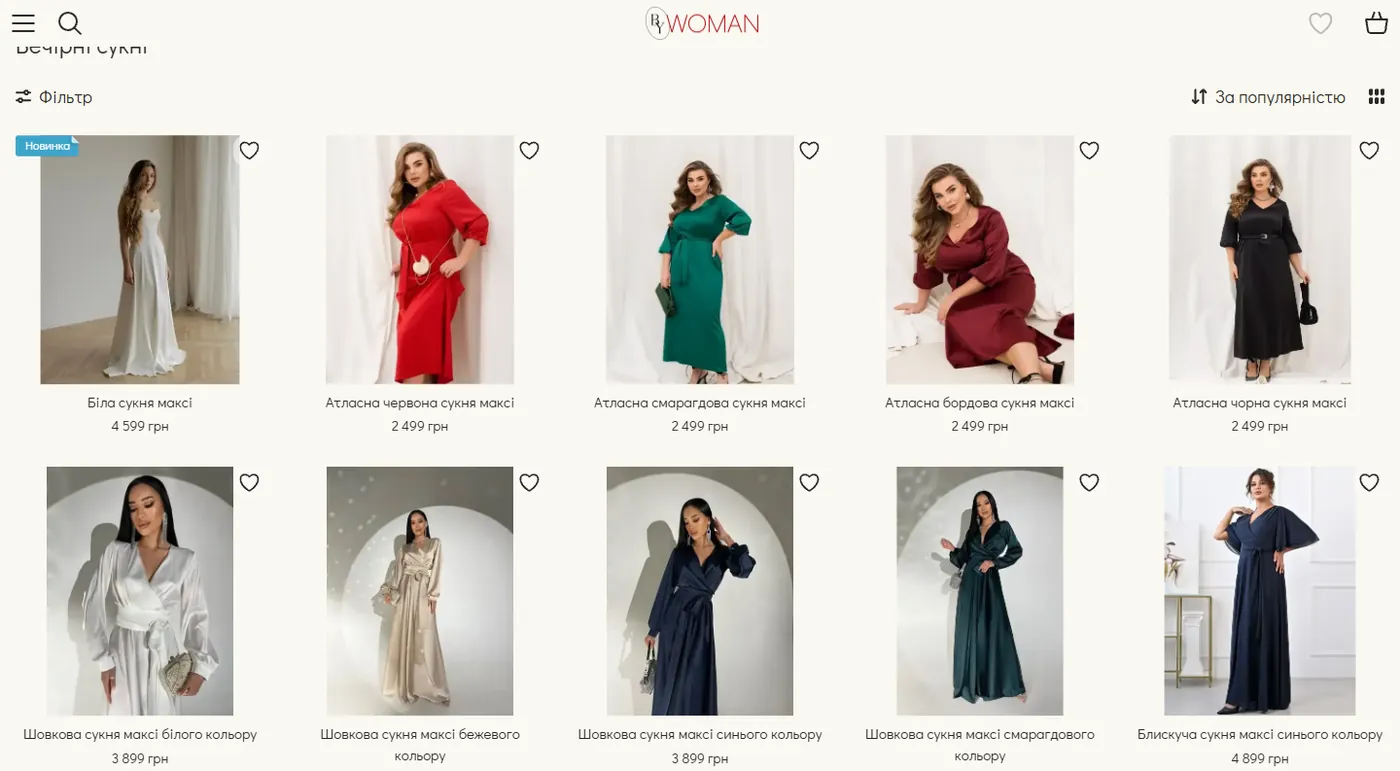
ByWoman, evening dress catalog on a phone
Evening dress catalog on a phone
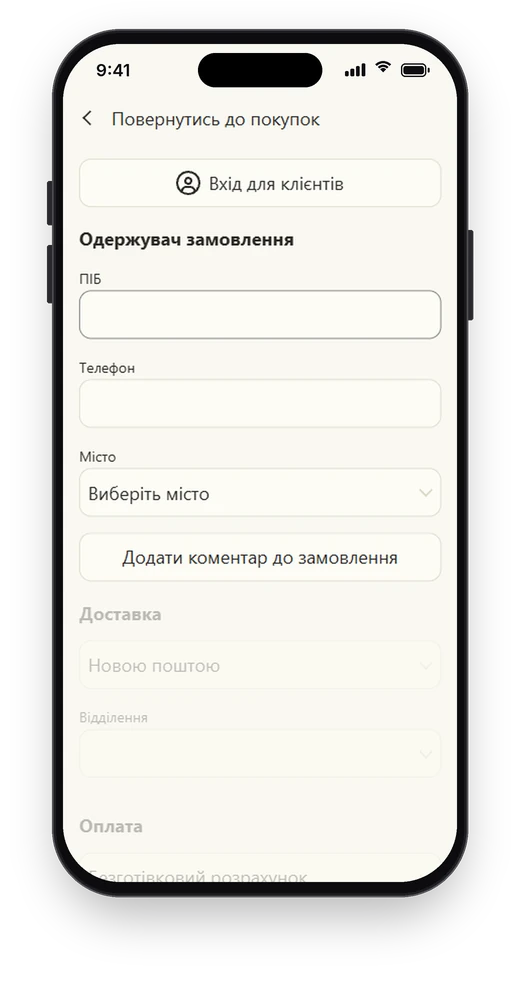
ByWoman, checkout on a phone
Checkout on a phone

What the client got

Shoppers quickly find a dress for their occasion, check out from a phone and pay by card, while the loyalty discount keeps regular customers coming back.

Hosted ecommerce platform Online card payments Carrier integration Instagram
Shoppers from search

Every section, from evening dresses to mini dresses, has its own page, so a shopper from Google lands right on the styles they need.

Payment upfront

Money for a dress arrives at checkout, and the store does not wait for a transfer to ship the order.

Repeat purchases

The loyalty discount gives a regular customer a reason to come back for the next dress.

Advice before purchase

A hesitant shopper leaves a number for a callback instead of going to another store.

Managed without a developer

The team adds new dresses, prices and sizes in the store admin on its own.

Support after launch

Lifetime guarantee on fixing bugs in our work, written instructions and training materials for the team.

Questions and answers

If your question is not answered here, message us and we reply in writing.

Ask a question
Who built the ByWoman online store?

The ByWoman women's clothing online store was built by the Bravo Digital team on a hosted ecommerce platform.

How much does a clothing online store cost?

A store with up to 100 products costs $500 on the Starter plan, and up to 1,000 products $700 on the Business plan. We confirm the exact amount after a short brief.

Can a clothing catalog be sorted both by occasion and by length?

Yes. We set up categories so that one dress appears both among evening dresses and among maxi dresses, and each section has its own page for search.

Can you add card payments to a clothing store?

Yes. We connect Stripe, PayPal or another payment provider, and the shopper pays for the order by Visa or Mastercard at checkout.

Planning an online store

Send us a short brief and we reply in writing with the price and timeline for your catalog. The estimate is free.