- Phones have slower processors and less stable connections than laptops, so the same page takes longer to load and respond.
- The usual causes are heavy images, too much JavaScript, third-party scripts, slow hosting and missing caching.
- Start with PageSpeed Insights on the mobile tab and look at Largest Contentful Paint first.
- Images, caching and removing unused scripts usually give the biggest gain for the least work.
- If the theme or page builder itself is the bottleneck, a rebuild can cost less than endless tuning.
Contents 5 sections
- How do you check your mobile speed?
- The 12 most common causes of a slow mobile site
- 1. Images that are too large
- 2. Too much JavaScript
- 3. Third-party scripts
- 4. Slow hosting and server response
- 5. No caching or CDN
- 6. Heavy web fonts
- 7. Render-blocking CSS and JavaScript
- 8. Video backgrounds and autoplay video
- 9. Layout shifts from images, ads and banners
- 10. A heavy theme or page builder
- 11. Too many plugins doing overlapping jobs
- 12. Lazy loading on the wrong image
- Which fixes give the biggest gain first?
- When is a rebuild cheaper than optimization?
- How we speed up a slow site
A website is slow on mobile because a phone has to download every image, font and script over a mobile network and then run that code on a processor much weaker than a laptop's. Most slow sites have the same handful of problems, and the fix for each one is known. Below are the 12 causes we find most often, how to check which one is yours and what to fix first.
How do you check your mobile speed?
Open PageSpeed Insights, paste the address of a page that brings you visitors (often not the home page) and stay on the Mobile tab. The test loads the page as a mid-range phone on a throttled mobile connection, which is why the mobile score is almost always lower than the desktop one.
The report has two parts. The top block shows field data from real Chrome users over the last 28 days, if the site has enough traffic. The lower block is a lab test of one load. Field data tells you whether there is a problem. The lab test and its list of opportunities tell you where it is.
Look at three numbers first.
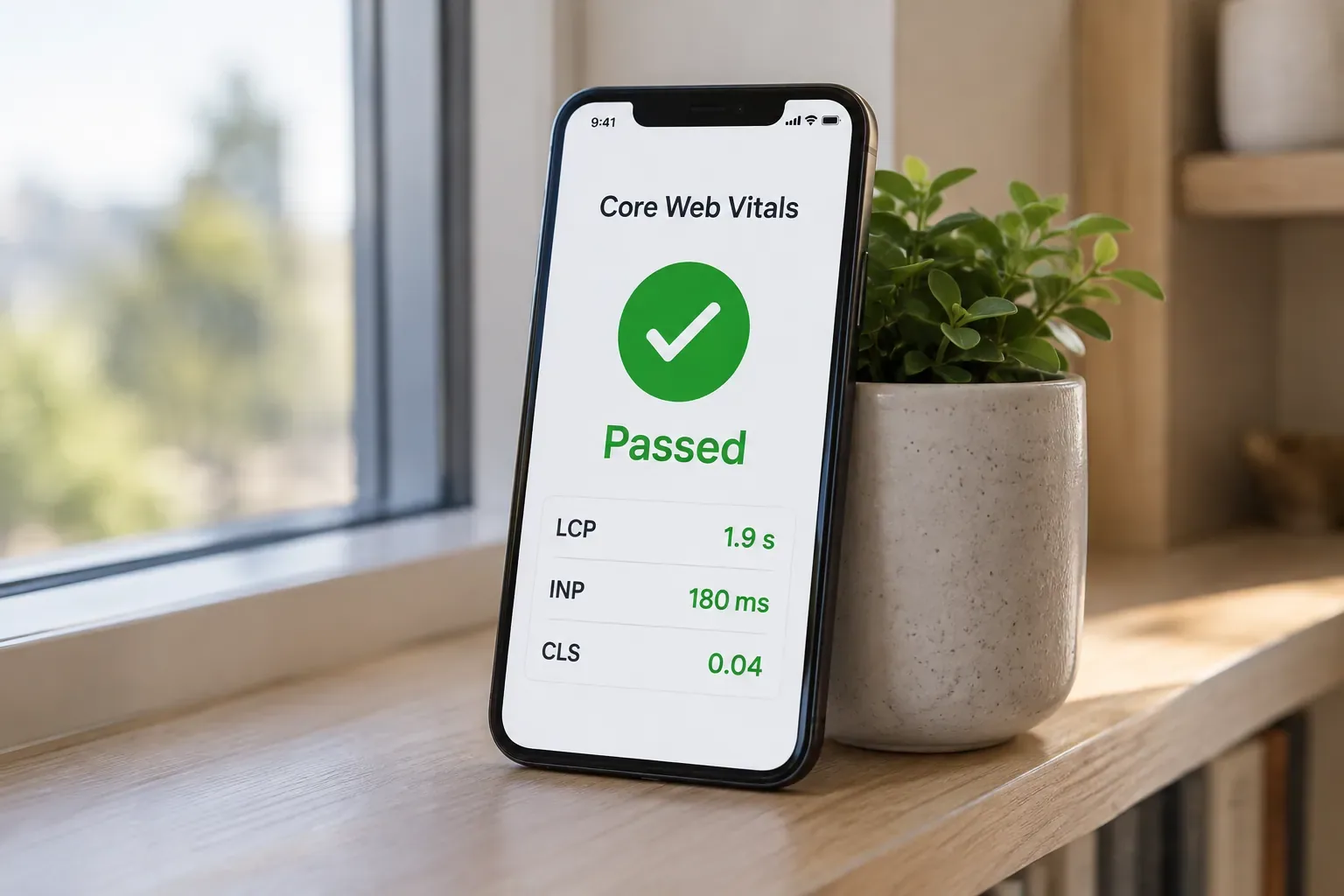
- Largest Contentful Paint (LCP). When the main image or heading appears. Google's target is 2.5 seconds or less.
- Interaction to Next Paint (INP). How fast the page reacts to a tap. The target is 200 milliseconds or less.
- Cumulative Layout Shift (CLS). How much the layout jumps while loading. The target is 0.1 or less.
We explain each metric in more detail in Core Web Vitals explained for business owners. Search Console also has a Core Web Vitals report that groups slow pages by the same problem, which helps on larger sites.
The 12 most common causes of a slow mobile site
1. Images that are too large
This is the most common cause. A photo straight from a camera or stock site can be 4,000 pixels wide and several megabytes, while a phone screen needs about 800 pixels. The fix is to resize images, convert them to WebP or AVIF and serve smaller versions to small screens with the srcset attribute. On many sites this alone cuts page weight in half.
2. Too much JavaScript
Every slider, animation library, page builder module and plugin adds code that the phone has to download, parse and run. JavaScript is the main reason a page looks loaded but does not respond to taps, which shows up as a poor INP. Remove features nobody uses, and load the rest only on the pages that need them.
3. Third-party scripts
Chat widgets, heatmaps, several analytics tags, social feeds, review widgets and ad pixels each load code from another server. Each one is small on its own, but together they often weigh more than the site itself. Keep the tags you actually use, load them through Google Tag Manager and delay non-essential ones until after the page has loaded.
4. Slow hosting and server response
If the server takes more than about a second to send the first byte, nothing else can start. Cheap shared hosting, an overloaded database or a server on another continent from your visitors all add delay. PageSpeed shows this as "Reduce initial server response time". The fix is better hosting, a database cleanup or a server closer to your audience.
5. No caching or CDN
Without page caching, a WordPress site builds each page from the database on every visit. Without browser caching, returning visitors download the same files again. A caching plugin or server cache plus a CDN such as Cloudflare solve both and are usually cheap or free.
6. Heavy web fonts
Loading four weights of two font families from an external service adds several requests before text can appear. Host fonts on your own server, keep only the weights you use and set font-display to swap so text shows right away in a fallback font.
7. Render-blocking CSS and JavaScript
Files loaded in the head of the page stop the browser from drawing anything until they arrive. Inline the small amount of CSS needed for the first screen, defer the rest and add defer or async to scripts that do not need to run first.
8. Video backgrounds and autoplay video
A background video in the first screen can be heavier than the rest of the page combined. On phones, replace it with a still image. For embedded YouTube videos, show a thumbnail and load the player only when someone taps play.
9. Layout shifts from images, ads and banners
When images have no width and height, or a cookie banner pushes the page down after loading, the layout jumps and people tap the wrong thing. Set dimensions on every image and reserve space for banners and embeds. This fixes CLS.
10. A heavy theme or page builder
Multipurpose WordPress themes and visual builders load code for hundreds of features on every page, used or not. They also nest elements many levels deep, which slows rendering on phones. Lighter settings help a little. Real gains often need a lighter theme or a rebuild of the key templates.
11. Too many plugins doing overlapping jobs
Two SEO plugins, three form plugins and a security plugin that scans on every request are a common sight. Each one adds database queries and scripts. Audit the list, remove duplicates and replace heavy plugins with lighter ones.
12. Lazy loading on the wrong image
Lazy loading delays images below the first screen, which is good. Applied to the main hero image, it delays the very thing LCP measures. The first visible image should load with high priority and without lazy loading.
Which fixes give the biggest gain first?
Work in order of impact, not in the order PageSpeed lists the opportunities.
- Images. Resize, convert to WebP and fix the hero image priority. Fast to do and almost always the largest gain.
- Caching and CDN. One setup that speeds up every page.
- Third-party scripts. Remove unused tags and delay the rest.
- Unused JavaScript and plugins. Remove features and plugins nobody uses.
- Fonts and render-blocking files. Smaller gains, but they shorten the time to first text.
- Hosting. If server response is still slow after the steps above.
Measure the same pages after each step. A change that looks good in theory sometimes breaks a form or a tracking tag, so test the forms and checkout after each round.
When is a rebuild cheaper than optimization?
Optimization works when the site is built on a sound base and the weight comes from images, plugins and scripts. A rebuild is the better option when the theme or builder itself loads several megabytes on every page, when the site breaks after each update or when the design needs to change anyway. In that case a website redesign on a lighter base fixes speed and design at the same time, and the effort spent on tuning the old site is not lost.
How we speed up a slow site
We start with the pages that bring traffic and leads, record their mobile metrics and find the causes from the list above. Then we fix them in order of impact, test forms and checkout and measure the same pages again, so you see the before and after numbers. Website speed optimization costs from $150 and takes 3-7 days for a typical site.
If you are not sure where your site stands, our free website audit checks speed along with SEO basics and shows the three main problems right on the page.
Questions and answers
Why does my website load fast on desktop but slow on mobile?
A laptop has a faster processor and usually a stable Wi-Fi connection. A phone has to download the same files over a mobile network and then run the same JavaScript on a weaker chip. Heavy images and scripts that a laptop handles easily become the main delay on a phone.
What is a good PageSpeed score on mobile?
Google rates 90 and above as good, 50 to 89 as needs improvement and below 50 as poor. The score is a lab test. For search, the field data matters more, that is, whether Largest Contentful Paint stays within 2.5 seconds, Interaction to Next Paint within 200 milliseconds and Cumulative Layout Shift within 0.1 for real visitors.
Does a slow mobile site hurt Google rankings?
Google uses Core Web Vitals as part of its page experience signals, and it indexes the mobile version of a site first. Speed alone will not lift a weak page to the top, but a slow site loses visitors before they read anything, and that costs leads whatever the ranking.
Can I speed up a WordPress site without rebuilding it?
In most cases, yes. Image compression, page caching, removing unused plugins and delaying third-party scripts fix most WordPress speed problems. A rebuild makes sense when a heavy theme or page builder loads several megabytes of code on every page.
How long does website speed optimization take?
A typical site takes a few working days. We first measure the pages that bring traffic and leads, then fix the causes in order of impact and measure again on the same pages.
Thank you. Share the article with someone who needs it.
Tell us what was missing in the article and we will reply. Ask a question